
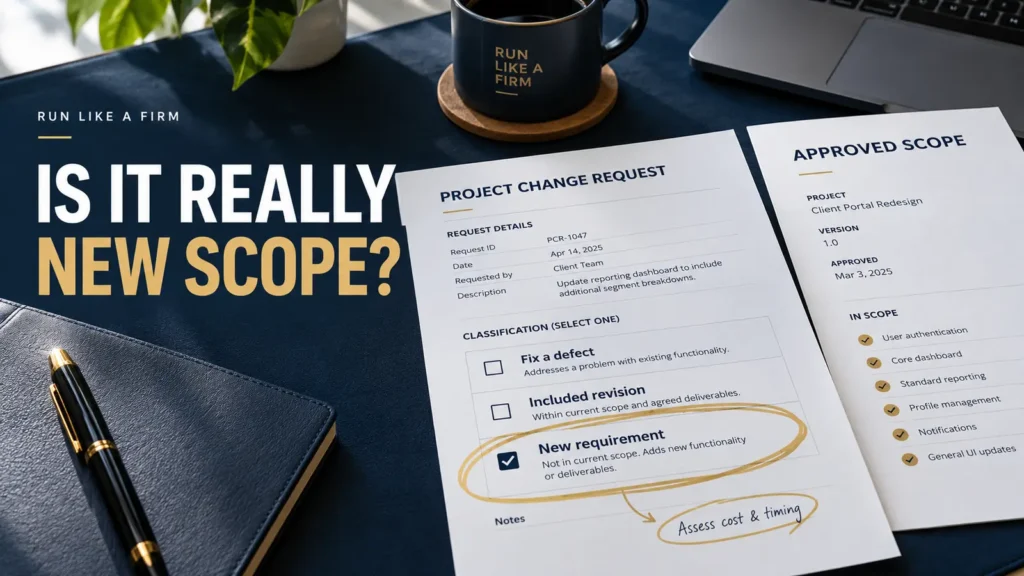
Prevent scope creep by defining the approved work, comparing new requests with that baseline, and agreeing changes before performing additional work. First distinguish a new requirement from a defect, an included revision, or your own estimating error.
Scope creep is uncontrolled expansion beyond the agreed baseline. An approved change can be valuable; the problem is letting the work change while the fee, resources, and delivery commitments stay unexamined.
Start by aligning client expectations on the deliverables and acceptance conditions.
Establish a baseline you can actually compare against
The baseline should describe the relevant deliverables, boundaries, assumptions, client inputs, and acceptance criteria. “Build a website” is too vague to distinguish a new requirement from expected work.
For a small website project, a baseline might identify the pages, agreed functions, content responsibility, supported environments, review rounds, and handoff format. The right detail depends on the engagement.
Store the approved version where both sides can find it. A verbal agreement about “the usual package” is difficult to compare with a later request.
Classify the request before discussing an extra fee
| Request type | Example | Appropriate first response |
|---|---|---|
| Defect or missed agreed requirement | The agreed form fails its specified submission test | Correct the failure against the original commitment |
| Included revision | Adjust approved copy within the defined revision arrangement | Handle it within the agreed review process |
| Clarification | Explain how an existing feature works | Clarify; do not assume it is new scope |
| New requirement | Add a second language or a new integration | Assess the additional work and trade-offs |
| Provider estimating error | Agreed work takes longer than you expected | Replan internally and discuss genuine delivery effects honestly |
Borderline revision: changing the wording of a headline to match the approved audience can fit the included review round. Asking that same page to address a second audience with a different service proposition may change the brief. Compare the actual instruction with the approved baseline before classifying it; “small wording change” alone settles neither case.
An extra hour does not automatically become a billable change. Start by identifying why that hour is needed and what the original agreement covers.
Likewise, a small visible request may have substantial hidden dependencies. A “quick export button” could require new data handling, testing, and access permissions. Assess the whole consequence, not only the visible interface.
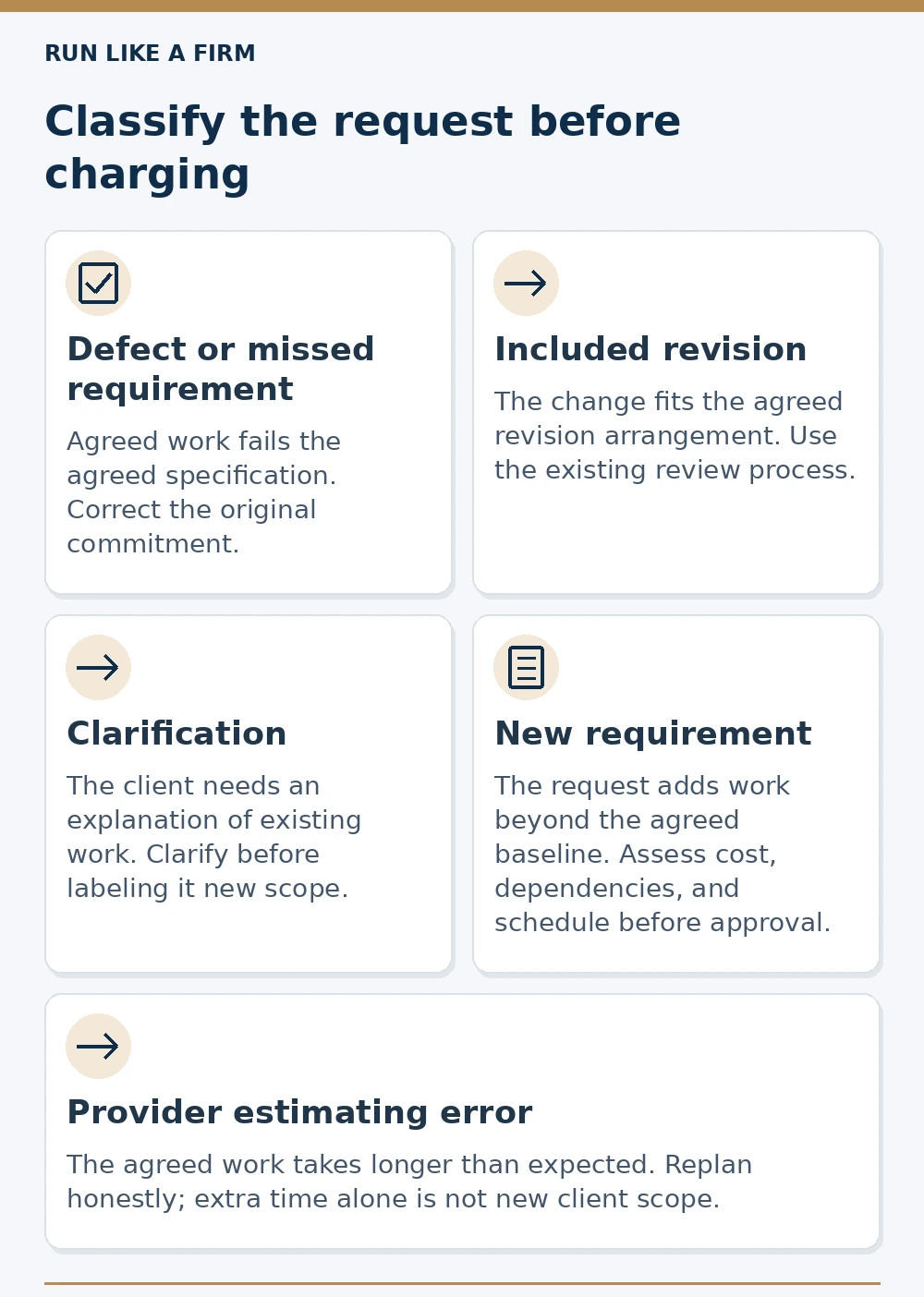
Read the decision map as text
- Defect or missed requirement: Agreed work fails the agreed specification. Correct the original commitment.
- Included revision: The change fits the agreed revision arrangement. Use the existing review process.
- Clarification: The client needs an explanation of existing work. Clarify before labeling it new scope.
- New requirement: The request adds work beyond the agreed baseline. Assess cost, dependencies, and schedule before approval.
- Provider estimating error: The agreed work takes longer than expected. Replan honestly; extra time alone is not new client scope.
Compare the request with the approved scope and agreement. For a genuine addition: assess it, discuss options, and record approval before production.
Offer a decision rather than an argument
For a genuine addition, explain what it changes. The client can then choose to:
- Add the work with a revised fee and schedule.
- Replace an existing item with the new one, if the trade-off is feasible.
- Defer it to a later phase.
- Keep the original scope.
Do not promise that substitution is cost-neutral until you have assessed it. Two requests that look similar may require different effort.
A response might say:
The second-language version is outside the approved first release. I can estimate it as an addition, or we can defer it until after launch. It affects translation, layout review, and testing, so I need to assess those parts before confirming the fee or date.
That keeps the conversation focused on the project decision rather than whether the request was reasonable to ask.
Show the cost of accumulated small additions
Here is a fictional planning example.
A fixed-fee project is priced at $3,600 and planned for 40 hours. Four unapproved additions take two hours each. The work now requires 48 hours if everything else stays the same.
- Original fee per planned hour: $3,600 ÷ 40 = $90.
- Fee per actual hour after the additions: $3,600 ÷ 48 = $75.
The average fee per hour fell by $15, or about 16.7%, relative to the original $90. This is a simple illustration, not a profit-margin calculation. It excludes costs, overhead, taxes, and whether the original estimate was accurate.
The lesson is to make cumulative extra work visible. It is not a reason to charge separately for every conversation or correction.
Use warning signs without misdiagnosing them
Unapproved tasks, repeated changes to previously confirmed requirements, and additional deliverables appearing in feedback can indicate scope expansion.
Budget burn, overtime, or slipping dates are broader warning signs. They could reflect scope creep, poor estimates, rework, technical problems, or delayed inputs.
Teamwork's scope-creep guide covers budget monitoring and unapproved work. Interpret those signals against your project's actual plan. A project with substantial front-loaded work can legitimately consume more budget than its elapsed-time percentage suggests.
Investigate the cause before telling the client they are responsible for an overrun.
Decide whether to absorb a small addition
You may choose to include a small out-of-scope request without an extra fee. Make that a conscious decision after checking the effort, dependencies, and effect on other commitments.
If you accept it, record the addition and confirm whether it changes the schedule. You can say:
This item is outside the original page list, but I can include this one addition within the current fee. It does not add a further revision round or change the other deliverables.
Only state those consequences after assessing them. A free addition still consumes capacity and may affect future maintenance or testing.
If several small additions accumulate, review them together. Repeated exceptions can change the project even when each request looks minor. There is no universal minute limit below which work must be free; use the actual agreement, client context, and commercial judgment.
The important boundary is between a documented choice and an unexamined habit of saying yes.
The client approval process should identify who can authorize the particular change.
Confirm the change before production
Use one change record linked to the approved baseline. Complete the assessment before asking for authorization; update its status and version after the decision.
ID / request date:
Request / requester:
Baseline / version:
Classification / reason:
Deliverable affected:
Cost / currency / tax basis:
Schedule / dependencies:
Options:
Authorized decision / decision maker:
Approval date / time zone:
New version / next action / owner:
Completed change: three additional pages
Hypothetical example; the amount is an illustrative quote, not a market benchmark.
- ID / request date
- CR-03, October 29, 2026; requested by the marketing reviewer.
- Request / baseline
- Add three service-page designs to SOW v1, approved October 20, which covers a homepage and one landing page with two consolidated revision rounds.
- Classification / affected work
- New deliverables: three new page layouts, rather than revisions to the two agreed pages. The original five-category check remains the basis for classification; a defect in either original page still needs correction within that commitment.
- Cost
- Proposed addition: USD 1,200 before applicable tax. This is the fee for the defined addition, not a claimed profit amount. Confirm any tax and payment changes in the commercial record.
- Schedule / dependencies
- Revised handoff November 23 instead of November 16, conditional on approved copy for all three pages by November 2, 2026, 3:00 p.m., America/New_York, and agreed review windows. Existing commitments are checked before offering that date.
- Options
- Add the three pages with the revised fee/date; assess a substitution separately; defer them until after the original handoff; or keep SOW v1. Substitution is not assumed to save equal effort.
- Authorized decision
- The project sponsor, whose spending and scope authority is recorded in the agreement, approves the addition, USD 1,200 fee and revised schedule on October 30, 2026, 11:00 a.m., America/New_York. The reviewer’s request alone was not authorization.
- New version / next action
- The project owner stores SOW v2 with CR-03, confirms access with the client, updates the plan and requests the approved copy by November 2. Production of the additional pages starts only after authorization and the required inputs. If inputs slip, review and agree the affected dates again.
Do not treat an enthusiastic comment from a reviewer as authorization if someone else owns the budget or final decision.
Where the client needs time to decide, continue only the work that remains suitable under the current agreement. Avoid building an unapproved feature and then presenting its cost as unavoidable.
For the original engagement boundary, define scope before pricing; delivery changes are a separate decision.
Handle work that has already drifted
If the project is already beyond its baseline:
- Compare the current work with the approved scope.
- Separate defects, included revisions, new requirements, and estimating errors.
- Identify what has already been performed and what remains.
- Discuss a practical reset for the remaining work.
- Record the new agreement before further expansion.
Be transparent about additions you accepted without approval. Do not retrospectively impose charges the client never authorized. Resolve the situation against the agreement and, when needed, appropriate professional advice.
Changes can introduce new dependencies; update the relevant project risk list too.
Prevent the next avoidable expansion
Make the change route visible at kickoff. Invite requests, but explain that assessing them is separate from accepting them. Review the accumulated changes at relevant milestones so small exceptions do not become an invisible second project.
For your next request, first decide which category it belongs to. Then discuss the appropriate response. Clear scope control protects the client's ability to choose just as much as it protects your time.