
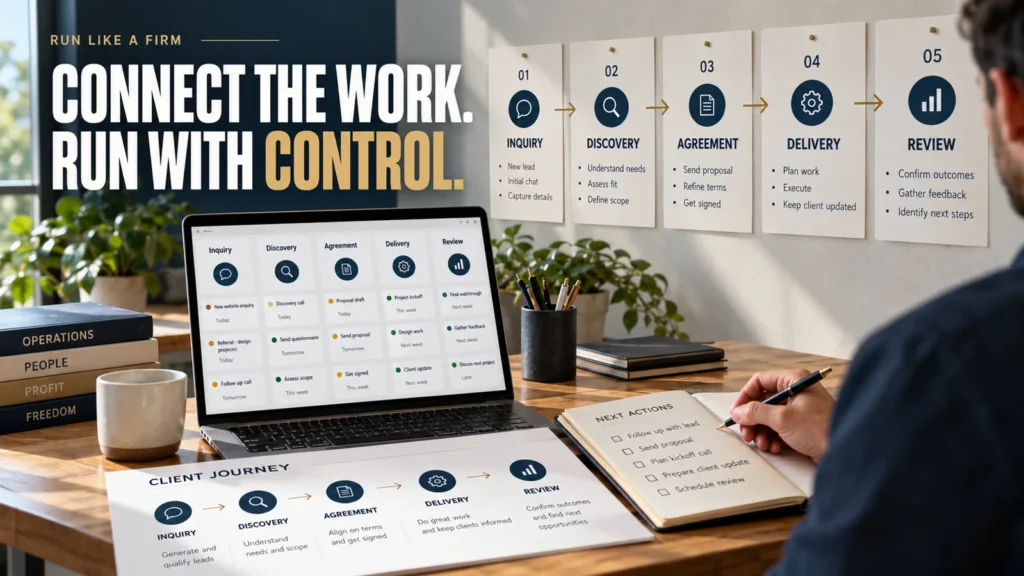
A service business operating system is the set of records, responsibilities, routines, and decision rules that moves client work from inquiry to completion and review. It gives people a reliable way to see what is happening, who owns the next step, and how to handle exceptions.
This guide focuses on the client-work operating layer of a service business: the journey from inquiry through delivery and the next relationship decision. It connects to financial records and capacity planning; it is not a complete accounting, tax or supplier-management manual. It can run in a few documents and a spreadsheet. Software supports the system; it does not decide what your business should do.
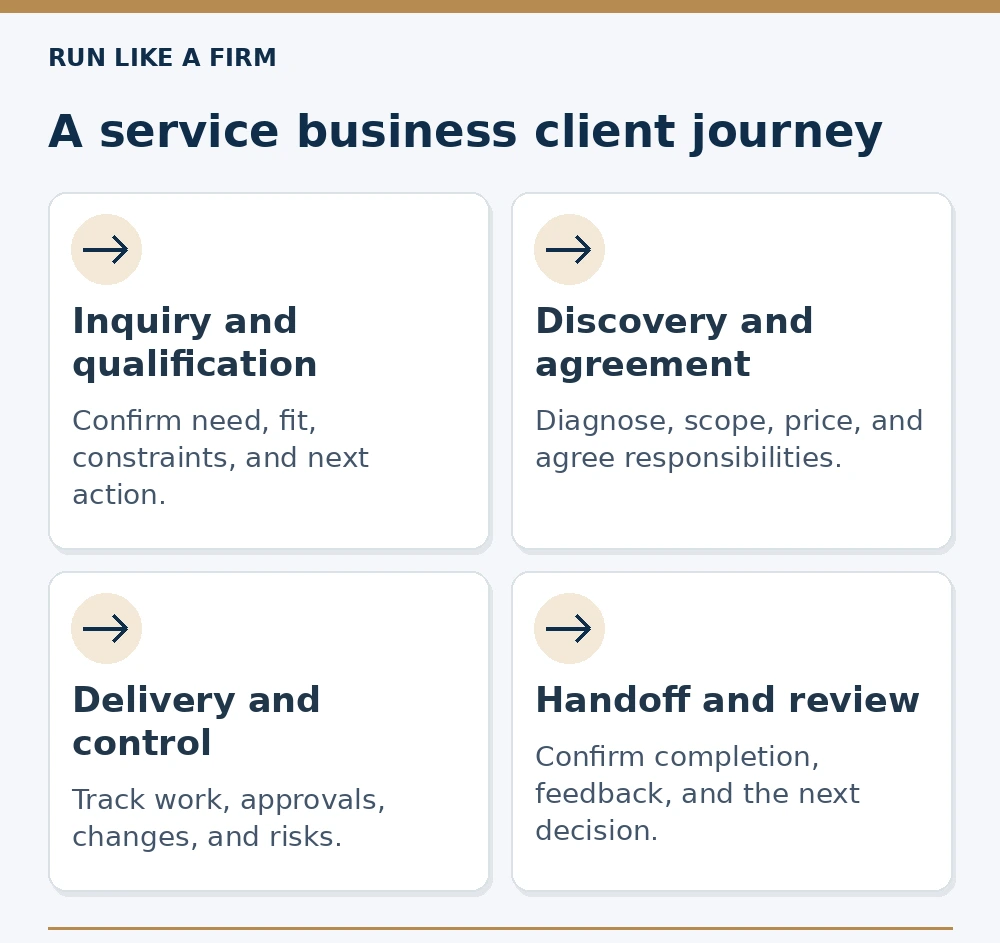
Read the decision map as text
- Inquiry and qualification: Confirm need, fit, constraints, and next action.
- Discovery and agreement: Diagnose, scope, price, and agree responsibilities.
- Delivery and control: Track work, approvals, changes, and risks.
- Handoff and review: Confirm completion, feedback, and the next decision.
What the system needs to make visible
For each active client or project, you should be able to answer:
- What has been agreed?
- What stage is the work in?
- Who owns the next action, and when is it due?
- What information or approval is missing?
- What happens if the work changes or a commitment is at risk?
If these answers exist only in someone's memory, the business depends on that person remembering every detail. A documented record reduces that dependence, but it still needs regular maintenance and judgment.
At the beginning of the lifecycle, use a repeatable way to respond to a client inquiry.
Map the client journey before choosing tools
Use the stages your work actually passes through. For a small service business, the following is a practical starting point.
| Stage / specialist guide | Input → record | Owner / exit decision | Exception to resolve |
|---|---|---|---|
| Inquiry and qualification | Inquiry → fit evidence and next action | Inquiry owner; proceed, clarify or decline | Missing budget context or an infeasible date |
| Discovery and diagnosis | Qualified need → notes, evidence, problem statement | Service lead; recommend work or specify the missing check | An untested cause could change the solution |
| Proposal and agreement | Supported problem → scope, acceptance, price, responsibilities | Service lead and authorized client contact; accept or revise | Budget, scope or approval route remains unresolved |
| Delivery readiness | Accepted agreement → starting-input and capacity checks | Project owner; start, bounded start or wait | A critical input is unavailable; do only independent authorized work |
| Delivery and control | Ready work → tasks, updates, risks and change decisions | Project owner; progress against the current baseline | New work or a delivery risk needs an explicit decision |
| Approval and handoff | Reviewed version → acceptance evidence, access and instructions | Authorized approver(s) and handoff owner; release or correct | Conditions remain open or the reviewer cannot access the version |
| Retention and review | Completed work and feedback → relationship decision | Relationship owner; close, renew or qualify a new need | Unresolved obligations must not be sold as expansion |
Some engagements combine stages, and recurring services repeat parts of the journey. Do not add a gate solely because another business has one. Use a gate where moving forward without a decision repeatedly creates problems.
For a detailed check before releasing work, use the delivery readiness checklist to inspect the next stage's actual conditions.
Give each handoff a definition of ready
A handoff is more than changing the status of a task. The next person needs enough information to act.
For example, sales-to-delivery readiness might require an accepted scope, payment conditions addressed according to the agreement, a named client approver, and required starting inputs. If those conditions are incomplete, record the exception and the decision to proceed or wait.
For a solo business, the handoff may be from your sales role to your delivery role. The same check is useful: did you document what you promised, or are you about to deliver from memory?
Define a clear client approval process where the delivery handoff depends on a decision.
Define ownership without creating bureaucracy
Each active next action needs one accountable owner. Other people can contribute, but “the team” is not a useful answer when a deadline is missed.
Write down the action, owner, due date, dependency, and completion condition. Where the action belongs to the client, identify the contact responsible and your follow-up owner. You cannot control a client's response, but you can control whether a missing input is visible.
The completion condition should describe an observable state. “Proposal done” might mean the draft is written, internally reviewed, sent, or accepted. Choose the meaning appropriate to that stage and distinguish the others.
Add decision rules for recurring exceptions
A process describes normal work. An operating system also describes what to do when normal work cannot continue.
| Exception | Rule to document |
|---|---|
| Missing client input | Who follows up, when the schedule is reviewed, who can approve proceeding |
| New work requested | How it is compared with scope and how changes are agreed |
| Approval delayed | Where status is recorded and how affected dates are communicated |
| Delivery risk | Who assesses impact and who agrees a revised plan |
| Client concern | Who acknowledges it, investigates, and confirms resolution |
Use realistic rules consistent with your agreement. Do not assume silence means approval unless the agreement validly establishes that mechanism. Avoid automating an escalation that still requires a person's assessment.
Use business metrics for freelancers to review the system without confusing task counts with progress.
A minimum operating record you can copy
Create one entry for an active engagement:
Copy-and-customize template: Replace the text in square brackets with your project details before using it.
Client and engagement: [Name and service.]
Agreed work: [Link to current scope and agreement.]
Stage: [Current stage and last confirmed decision.]
Next action: [A specific action.]
Owner and due date: [One accountable person and date.]
Dependencies: [Missing inputs or decisions and their owners.]
Risk or change: [Issue, expected impact, and pending decision.]
Latest client update: [Date and link.]
Completion check: [What must be confirmed before closing.]
Use links to authoritative documents rather than copying the entire agreement into several tools. A duplicated record that falls out of date can create more uncertainty than a small, maintained one.
Build around one recurring failure first
Start with a recent incident: a missed follow-up, unclear approval, unpriced change, or handoff that lost information. Trace where the decision or record failed.
Then create the smallest rule and record that could help prevent a repeat. Give it an owner, use it on live work, and review whether it helped. Do not attempt to document every possible situation before improving the one causing repeated difficulty.
A hypothetical example
A small design studio repeatedly begins work without a confirmed client approver. Feedback arrives from several people, and revisions conflict.
The studio adds a starting check: the engagement record must identify the approver and the agreed feedback route. If that information is absent, the project owner requests it and reviews the start date rather than quietly proceeding.
During delivery, the owner records approvals in the agreed location. Conflicting feedback becomes a visible decision for the approver, not several undocumented instructions to the designer.
This does not guarantee fewer revisions. It creates a clear route for resolving a specific recurring problem, which the studio can inspect over subsequent projects.
Keep a short review rhythm
At a regular operational review, inspect overdue actions, blocked work, unapproved changes, upcoming capacity, and payment or acceptance issues. Resolve decisions and assign next actions rather than merely reading status aloud.
After an engagement closes, review what worked and which exception exposed a missing rule. Update the relevant process and explain the change to the people using it. A procedure nobody can find or understand will not reliably guide work.
Keep version ownership clear. Someone must decide which process is current and remove or label obsolete copies.
A weekly review that changes the next action
Hypothetical review, November 6, 2026, America/New_York: three current engagements require different decisions.
- Copy project A — final handoff: accepted work has a $1,000 outstanding invoice. The owner checks the agreed due time and receipt record, then sends an accurate payment-status request. Review again November 9; do not confuse accepted delivery with collected cash.
- Design project B — delivery: a new deck section is requested. The project owner compares it with the accepted baseline and returns options by November 9. The extra section remains outside production until its scope and timing are authorized.
- Consulting project C — inquiry: the sponsor has not confirmed the approval route. The service lead requests that fact by November 10; a full custom proposal waits. An internal sponsor can supply the route without being the budget holder.
The review produces three owned actions, not a single business-health score. Capacity planning checks whether the actions and delivery obligations fit available hours; the financial record checks earned amounts, invoices and cash. Refer to the defined business metrics for calculations rather than duplicating them here. Subcontractor work, when used, needs the same named input, access boundary and handoff owner.
Choose software after the workflow is clear
A CRM can hold inquiry and relationship records. A project tool can support delivery. A document system can hold agreements and procedures. Accounting software can maintain financial records. You may need some of these or a combined setup.
Choose based on the actual handoffs, permissions, reporting, and maintenance required. More integrations also create failure points and duplicated data. Test an important handoff before extending automation across the whole client journey.
Frequently asked questions
Is an operating system the same as an SOP library?
No. Procedures explain how tasks are performed. The broader system also connects ownership, live records, decision rules, handoffs, and reviews.
Does a solo freelancer need one?
A freelancer can benefit from a small system when remembering commitments, managing changes, or finding the next action becomes unreliable. It need not resemble a large company's management structure.
Will documenting processes make the business scalable?
Documentation can support consistent work and delegation. Growth also depends on demand, economics, capacity, expertise, and other conditions. A documented process alone does not prove the business can scale profitably.